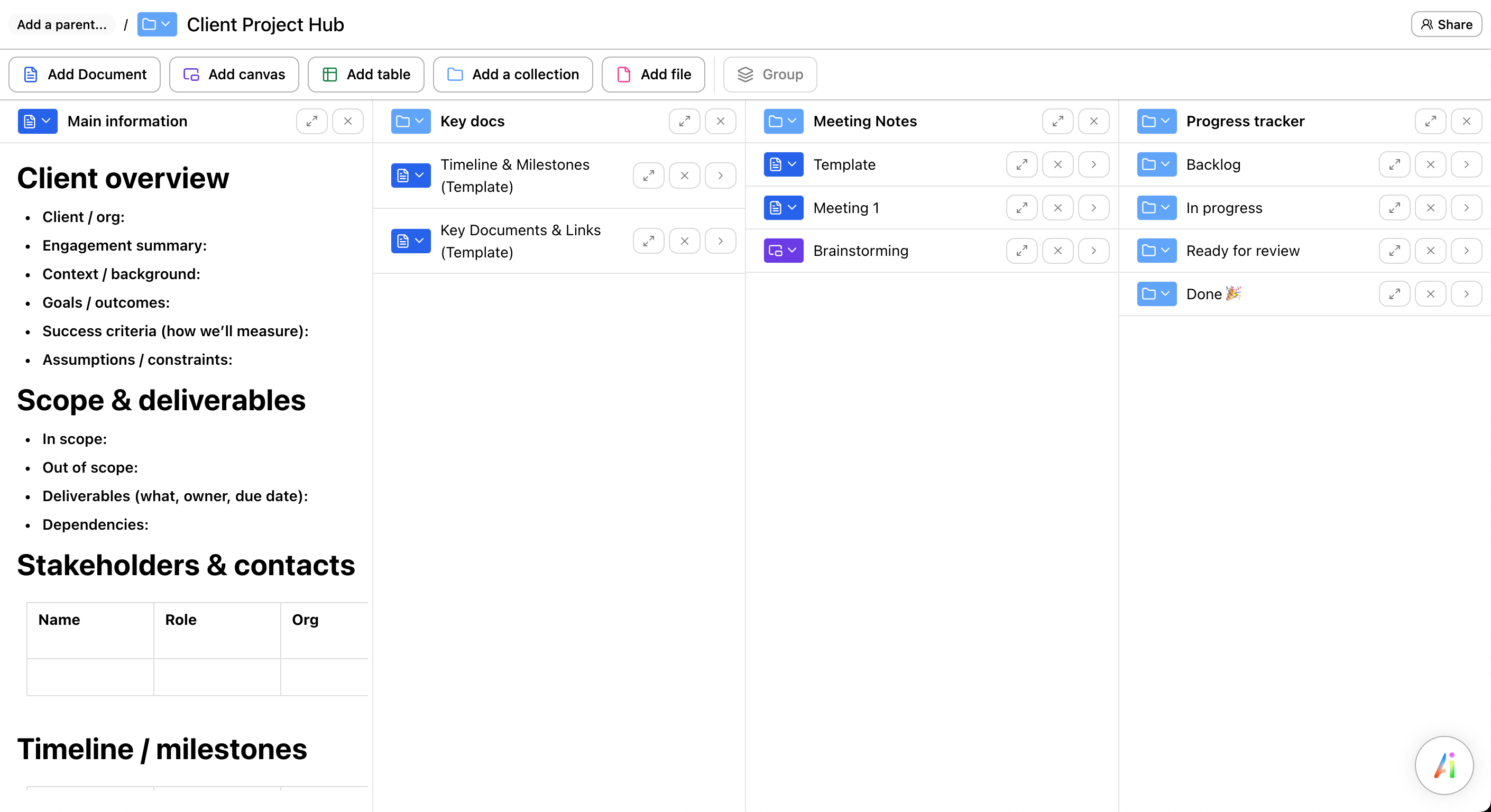
One workspace per client. Notes and freeform canvases. Context switching in milliseconds. Ununu is the fastest, most fluid way to run your consulting practice.
Lightning fast EU hosted, GDPR compliant

Ununu's flexibility lets me handle multiple clients without the chaos of scattered docs. - Independent consultant
You know the document exists, but where? Digging through nested folders, searching filenames, opening three wrong versions before finding the right one. Every client call starts with a scavenger hunt.
Opening the right folder, finding the latest version, remembering where you left off — it all adds up. By the time you're ready to work, you've lost momentum.
You want to collaborate with clients but don't want them seeing your internal notes or other clients' work. Existing tools make this awkward or impossible.
Strategy workshop
Q1 deliverables
Discovery notes
Roadmap canvas
Meeting minutes
Brand audit
Stop mixing client work in shared folders or tagging everything manually. Ununu makes it effortless to manage what belongs in each workspace — and if something needs to live in multiple places, it can. Organizing client work just works.
Key takeaways from discovery call
• Need faster reporting
• Budget approved for Q2
Capture meeting notes, then drag them onto a canvas to brainstorm. Build proposals from scattered thoughts. Ununu lets you move fluidly between structured writing and visual thinking — same content, different views.
Ununu is built for speed. Switch from one client workspace to another instantly. No waiting for pages to load. No losing your train of thought. Your entire consulting practice, always one click away.
YouBased on our discovery...
Recommended approachClient
Invite clients into specific workspaces where they can view or edit alongside you in real time. Your internal notes, drafts, and other clients' work stay completely private. Share only what you choose.
Ununu loads instantly. Capture that thought from a client call before it slips away. No spinner, no waiting.
Built in Finland, hosted entirely in the EU. Important when your clients have compliance requirements.
Draft proposals, summarize meeting notes, find related work across projects. No extra fees.
Bring in documents from Google Docs, Notion exports, or plain files. Start where you left off.
Access your workspaces from laptop, tablet, or phone. Everything syncs automatically.
Questions about setting up your consultant workspace? We're a small team that actually responds.

"Ununu's biggest strength is its flexibility, it lets you easily handle multiple lines of thought. Amazing for managing all the complexities of a company. The team is unbelievably responsive!"
Eero Knuutila, CEO at LignoSphere
Lightning fast No credit card required
Create a workspace for each client and easily manage what belongs where. The same note or document can live in multiple places if needed — no rigid hierarchy. Switching between workspaces is instant with keyboard shortcuts. The key difference from other tools: it's genuinely effortless to keep client work organized without complex tagging or database filters.
Yes. Each workspace has its own sharing settings. Invite a client into one workspace and they only see what's there. Your internal notes, other clients' work, and draft materials stay completely private.
Sub-second. Press Cmd+K (or Ctrl+K), type a few letters of the client name, hit Enter. You're in their workspace immediately. No page reloads, no waiting for content to render. It's designed for consultants who switch contexts constantly.
€19/month per user includes unlimited workspaces (so unlimited clients), full AI capabilities, real-time collaboration, and all features. No extra fees for AI or additional client workspaces. Free trial to start.
Yes, and they work together seamlessly. Write meeting notes in a document, then drag key points onto a canvas to brainstorm. Build a proposal from scattered ideas. The same content can live in both formats and stays in sync.
Ununu is built in Finland and hosted entirely in the EU. All data is encrypted in transit and at rest. We're GDPR compliant by design. This matters when your clients have regulatory requirements or simply prefer EU data jurisdiction.
Yes. Import documents from Google Docs, Notion exports, markdown files, and other common formats. We can also help you set up your workspace structure if you're migrating from scattered tools.